Video
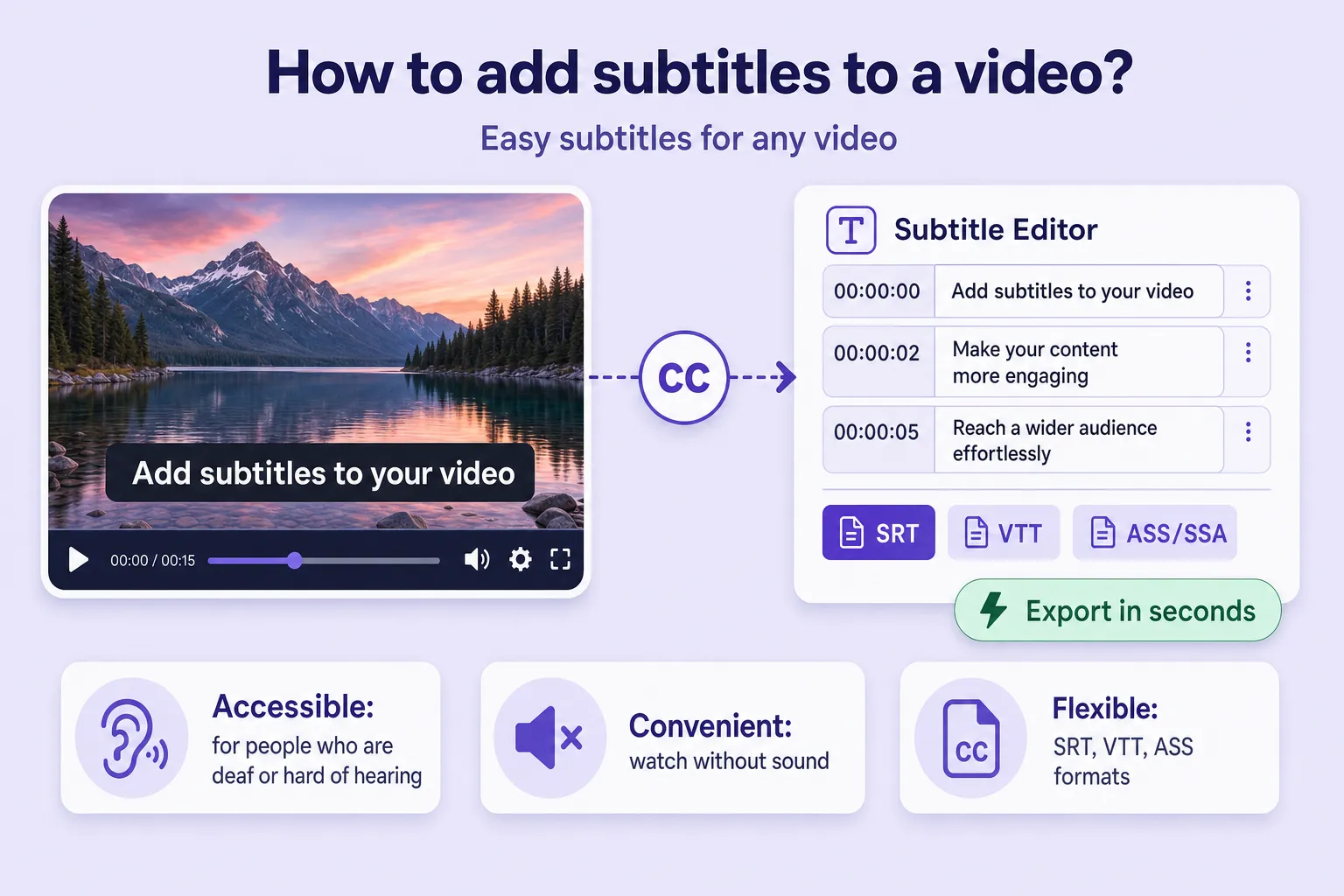
How to Add Subtitles to a Video
Learn the subtitle types, file formats, and how to add subtitles to any video automatically with SRT export.


Converting video to text means automatically recognising the speech in a recording and returning the result as written text — a transcript, minutes or a full stenographic record. This article explains how to convert video to text online for free: how the technology works, a step-by-step walkthrough and a side-by-side comparison of the services worth using today.
The key metric: transcribing an hour of video by hand takes 4–6 hours, while online video transcription takes anywhere from 30 seconds to 10 minutes depending on the length of the file. Automatic transcription is useful in many fields:
Artificial intelligence "listens" to a video recording much the way a person in a noisy room tries to make out someone else's conversation — the cleaner the audio and the clearer the speech, the fewer errors in the result. The word "free" in a service's description means, in about 90% of cases, a limited plan or a trial allowance of minutes: unlimited processing at no cost is rarely on offer.
Speech-recognition accuracy depends on several factors:
Before you start an automatic video transcription, a few preparatory steps are worth taking:
The workflow is the same for most services — below it is shown using Any2Text as the example, but the steps apply to almost any platform:
Step three is where the same mistake tends to happen — the language is set incorrectly, so the system tries to recognise one language using the phonetics of another and produces gibberish. On step five it is far easier to use a built-in editor with synchronised playback: clicking a word in the text jumps the audio straight to that moment, and proofreading takes a fraction of the time.
Most platforms labelled "free" run on a hybrid model: a short trial at no cost, then a paid tier for larger volumes. The list below starts with services that offer a free or trial allowance, then moves on to professional solutions for regular and corporate use.
An audio and video transcription service with advanced tools for working on the finished text. It supports dozens of audio and video formats, can separate the lines of different speakers (speaker diarization) and offers a "clean read" style — automatically stripping filler words and turning a verbatim transcript into a tidy, readable text. Its post-processing modes include a short summary of the recording, formatting as a structured article, and processing against the user's own custom prompts. A free starting allowance of minutes lets you judge the quality. The web interface supports synchronised listening — clicking a passage of text moves audio playback to that point, which noticeably speeds up proofreading.
For videos you have uploaded yourself, the platform generates a transcript automatically and without registration: in the player menu, look for the "Show transcript" option. It also works for other people's videos if they have automatic captions enabled. The limitations: a third-party video's transcript is not always available, the quality depends entirely on whether auto-captions were generated, export is possible only by copying the text manually, and there is no speaker separation. Stray timecodes in the copied text are easiest to strip out with a find-and-replace.
Geared towards transcribing meetings and videos: files are uploaded directly or imported by link. Its headline feature is an AI recap that automatically pulls the key points and action items out of a long recording. The service separates speakers, offers a free monthly allowance of minutes, exports text to TXT, DOCX and PDF, and runs right in the browser on any device.
Integrates with Google Drive, Dropbox and Zoom, and exports the finished text to DOCX and PDF. It supports both automatic transcription and a professional human-transcription option for recordings where maximum accuracy matters, and it can generate subtitles for video. A free trial allowance is available before you move to a paid plan.
An AI transcription platform that processes an hour of audio in a few minutes, supports more than 30 languages and produces AI summaries — a short overview of a long recording with the main points. Export is available in DOCX, SRT, TXT and other formats, speakers are separated automatically, and a built-in editor with synchronised playback makes proofreading easier. There is a free trial, after which the service runs on paid plans.
Focused on video creators: alongside transcription it turns long recordings into short clips with automatically generated subtitles. It claims high recognition accuracy and translation into more than 30 languages, and offers a free monthly allowance. A good fit when the transcript is a step towards publishing video rather than the final deliverable.
For organisations with heavier requirements there are platforms built around batch uploads of many files at once, instant search across the finished transcript, and integration with LMS and CMS systems through an API. For companies with strict data-security needs, some vendors offer on-premise deployment — installing the system on the company's own servers. These solutions typically support 90+ languages but run on paid plans only, with no free tier.
Before settling on a video transcription service, it helps to line all the options up in a single table and compare them on the parameters that matter:
| Service | Free tier | Speakers | Export | Best for |
|---|---|---|---|---|
| Any2Text | Allowance | Yes | SRT, DOCX, XLSX, TXT | Regular work, post-processing |
| YouTube | Yes (own videos) | No | Copy text | One-off, your own video |
| Notta | Allowance/mo | Yes | TXT, DOCX, PDF | Webinars and meetings |
| Happy Scribe | Trial | Yes | DOCX, PDF, SRT | Subtitles, human review |
| Sonix | Trial | Yes | DOCX, SRT, TXT | Fast AI summaries |
| Vizard.ai | Allowance/mo | Yes | SRT, TXT | Short-form video clips |
For a one-off task with your own video, YouTube is enough. If you need speaker separation and a summary for regular work, Any2Text, Notta or Sonix all fit. For webinars and conferences with a ready-made recap, Notta is convenient; for subtitle-heavy video work, Happy Scribe or Vizard.ai; and for corporate use with an API and on-premise deployment, an enterprise platform is the right call.
Try transcribing a short video with Any2Text — the starting allowance of minutes is free, and you can also transcribe speech from any recording or browse the full set of conversion tools.
Learn the subtitle types, file formats, and how to add subtitles to any video automatically with SRT export.
A step-by-step process, a comparison of 8 transcription tools and expert tips for turning audio into accurate text.
Convert voice recorder files to text on Android, iPhone and desktop, with tips for clean recordings and AI post-processing.