Basics
What is transcription: a plain-language guide
A clear introduction to transcription — what it means, how it works and where it is used.

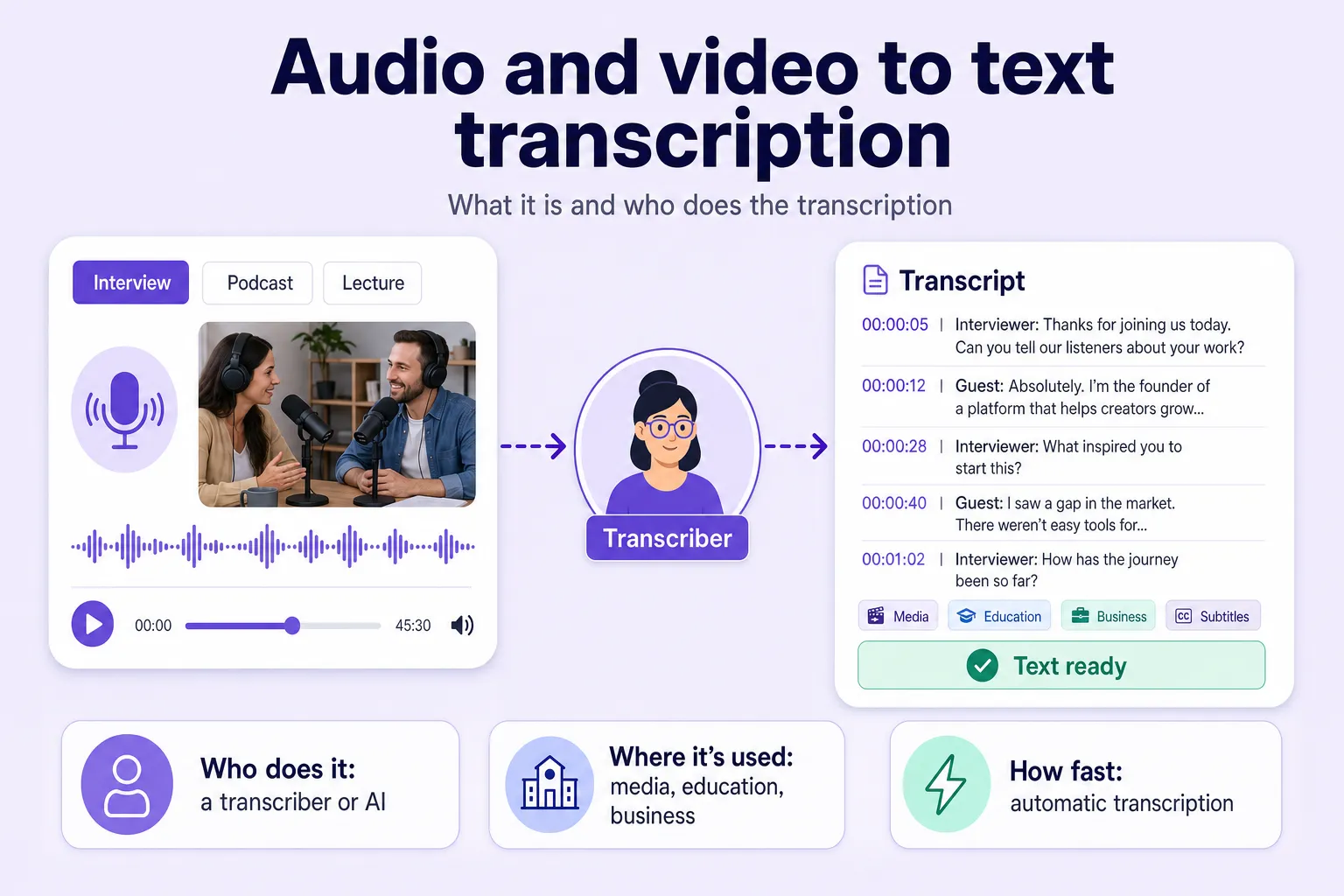
Transcription in simple terms is the conversion of spoken words from an audio or video recording into written text — it is the process of turning voice into text. The work can be done by a person manually, by a neural network automatically, or with a hybrid method that combines the two. The result is called a transcript: a finished text document that you can edit, analyse and reuse as the basis for new content. Transcription is one of the most in-demand tools for working with information — in business, media and law.
Transcription captures the meaning, structure and context of what was said, not just the sound. An audio or video recording goes in, a service processes the speech, and a text file comes out. A recording of a work meeting becomes minutes with a list of tasks and owners — with a structure that is easy to read, instead of an unbroken wall of remarks.
The process has professional synonyms — speech-to-text, STT and ASR (automatic speech recognition) — used by developers and speech-recognition specialists. Its historical ancestor is shorthand, except a stenographer captured speech by hand with special symbols as it was spoken, while modern services work from a finished recording.
A few terms are easy to mix up. Transcribing is the same thing as transcription — they are complete synonyms. The real distinction is between the following concepts:
Transcription differs from translation in that it does not change the language — only the form in which the same speech is presented.
There are three methods of turning speech into text — manual, automatic and hybrid. They differ in speed, accuracy and cost:
| Criterion | Manual | Automatic | Hybrid |
|---|---|---|---|
| Accuracy | High, up to 99% | 85–98% depending on recording quality | Maximum — thanks to manual editing |
| Speed | Low, hours of work per hour of audio | Minutes per hour of audio | Medium — automation plus editing |
| Cost | High (you pay a specialist) | Low or free within a limit | Medium |
| Best for | Court records, niche terminology | Fast transcription of large volumes | Professional content with high quality requirements |
Automatic transcription relies on artificial-intelligence algorithms — that is exactly what delivers the processing speed. By output format, transcription splits into sub-types:
Transcription reaches almost any field where there is spoken speech that needs to be preserved as text:
For business, transcription mostly means meeting minutes, call-centre recordings and text integrated into CRM systems. In media, transcribing podcasts and video has a direct SEO effect: transcription helps SEO because search engines index text, not an audio file — subtitles and transcripts increase a content's visibility in results. In law, accuracy and data confidentiality are critical, so a hybrid approach is common, where a specialist double-checks the automatic transcript.
When choosing a transcription service, it pays to look at several parameters at once:
How much transcription costs depends on the method: automatic is several times cheaper than manual, with rates starting from a few cents per minute of audio, while manual transcription costs an order of magnitude more because you pay for a person's time. Before you pay for a subscription, it is wise to test a service on a free trial using your own real recording.
| Service | Accuracy | Speed | Cost | Extra features | Best for |
|---|---|---|---|---|---|
| Any2Text | Up to 98% | Minutes per hour of audio | Free 15-minute starter limit, then paid | Diarization, book-style cleanup, synchronised playback | Interviews, podcasts, lectures, calls |
| Whisper (OpenAI) | High on clean speech | Medium, depends on your hardware | Free, installed locally | Open source, works offline | Developers and technical users |
| Otter.ai | High | Fast | Freemium, then paid | Live meeting notes, AI summaries | Business meetings |
| Rev | High | Fast (AI) or slower (human) | Paid, per minute | Human-verified option, captions | Content requiring maximum accuracy |
| Google Speech-to-Text | High | Fast | Paid via API | Diarization, API access | Teams with a developer |
Any2Text transcribes audio and video, separates who said what through diarization, and can bring the text to a clean, book-style form — without filler words and repetitions. You download the result as DOCX, XLSX, SRT or TXT, and the first 15 minutes are free.
For developers who need integration and want to keep data in-house, Whisper is a good fit. For teams focused on meeting minutes and call analysis, tools like Otter.ai or Google Speech-to-Text work well. You can compare more options in our list of tools.
Before you upload a recording, it is worth improving its quality a little — this directly affects the final accuracy:
The rest of the process fits into six steps:
A good source recording accounts for up to 80% of the success of automatic transcription — the rest is down to the quality of the algorithm.
The weaknesses of automatic transcription and the limits of ASR are tied directly to recording conditions: accuracy drops noticeably in a few typical situations.
On a clean recording, recognition accuracy reaches 95–98%, while in difficult conditions — noise, accents, overlapping voices — it falls to 85–90%. The difference is significant, so for high-stakes tasks it is worth backing up the automatic transcript with a human review.
Try transcribing your first recording with Any2Text — it takes a couple of minutes and needs no sign-up.

Reviewed by an expert
Founder of Any2Text
Checked that the material matches the service's real capabilities and that the technical details are up to date.
Verified on August 20, 2026
A clear introduction to transcription — what it means, how it works and where it is used.
A step-by-step walkthrough of tools and expert tips for accurate audio-to-text conversion.
A transcriptionist turns spoken audio and video into written text — here's what they do and how automatic speech recognition speeds the job up.